I love my iPad Mini, I love my iPad Mini, I love my iPad Mini. I have to repeat things like this to myself every time I get ready to test-drive something new. This helps me to remember that it's OK to flirt with other devices—not only is it my job to try new stuff (best job ever), but my 1st-generation iPad Mini has been serving me quite admirably over the past three years and, frankly, it works just fine. Thankfully, my aging iPad still receives updates from the Mothership—although that may be ending soon with iOS 10—and it runs pretty fluidly in the process. However, since it's only a little larger than my current smartphone, I only use it for personal entertainment; I rely on my larger notebook computer for more demanding business needs, which means that I'm often carrying multiple devices. This is where the office-ready 9.7" iPad Pro begins to show its bridge-spanning appeal, at least on paper. If I have an opportunity to carry a single smart device that offers the best of both worlds, I’m all for it, and so are my messenger bag and shoulder, as long as the compromises aren't too great. While I welcome the luxury of convenience, I can't afford for my productivity to take a hit, and I imagine this to be the case for most power users.
I'm not beholden to one operating system or platform. I get that loyalists want you to pick a side, but I tend to take a "whatever works" approach. Sure, I've engaged in debates with family and friends over which OS has the upper hand in certain regards but, ultimately, usability and performance take the prize and the device that allows me to do the most with the least amount of effort will serve as my daily companion. Whether it be iOS, Android, Windows, or otherwise, when it comes to personal computing I just need to be able to do what I want, when I want, and it should work every time. Period. When Apple unveiled its 12.9" iPad Pro, its target market was clear: power users and creative professionals looking for a laptop alternative that is both capable and fun. While the original iPad Pro delivered on many fronts, it's still bigger than Apple's other iPads and isn't as portable as other tablets on the market, even if it outperforms those other devices in benchmarks and real-world performance, which it typically does. The challenge Apple faces with its 9.7" iPad Pro is offering the same horsepower and flexibility in a smaller form factor in an effort to accommodate people who wish to carry a more compact device. After pairing this tablet with Apple's Smart Keyboard Cover and Pencil, I was ready to see how its list of impressive specs and features kept pace with my real-life needs for personal and professional purposes.
Apple Pencil for iPad Pro
What makes a Pro a Pro?
On the surface, the 9.7" iPad Pro looks awfully similar to Apple’s popular iPad Air 2. They are nearly identical in size and weight, since both devices sport a 9.7" Retina Display with detailed 2048 x 1536 screen resolution, housed in Apple’s signature unibody design, complete with 4:3 aspect ratio. While some tablet makers offer 16:9 aspect ratios for a more cinematic viewing experience, Apple’s 4:3 design choice has proven to be great for reading applications and it helps the iPad stand out in a crowded tablet market. If you look below the surface, though, you’ll notice that the iPad Pro offers a few advantages over its cosmetically similar running mate.
For starters, while the iPad Air 2’s storage capacity starts at 16GB, the iPad Pro’s entry-level model doubles that offering with 32GB of storage. Storage isn’t the only advantage here, though. The iPad Pro also features a more robust A9X 64-bit processor, Apple’s True Tone Display technology for optimal white balance and brightness output on its oxide TFT screen, four built-in speakers that offer enhanced audio enjoyment, a Smart Connector for easily interfacing accessories like the aforementioned Smart Keyboard Case, along with a front 5-megapixel FaceTime camera and a rear 12-megapixel iSight camera with True Tone flash. This impressive camera array is even an upgrade from the cameras found in the larger 12.9" iPad Pro. Before you dismiss taking photos with an iPad of this size, I get it—who wants to be the guy using a 9.7" screen as a viewfinder? I think you will be pleased with the results if you do. Photo quality was generally excellent, as was video recording, which supports up to 4K resolution. The iPad Pros are also Apple’s only tablets to support their version of a stylus, simply called “Pencil,” an accessory I’ve grown quite fond of and will be discussing in detail shortly.
Smart keyboard cover
I’m not sure how I feel about keyboard cases. Don’t get me wrong, I’m no stranger to using a keyboard with a tablet but I usually opt for separates here. I’ve been fine pairing a separate Bluetooth keyboard for typing and a cover to protect the screen but, again, I would like to consolidate if possible. I’m carrying too many devices around, with too many batteries and too many chargers. What immediately struck me about the Apple Smart Keyboard Cover was the way it looks—superficial, I know—but I was impressed that it closely resembled Apple’s standard Smart Cover, which is a good thing. The keyboard is specifically designed for the iPad Pro. It doesn’t add too much bulk to the design and it conveniently folds into the cover when not in use. This means if I’m just holding the tablet in-hand and using the iPad’s multi-touch display, the keyboard isn’t exposed at all. The keyboard only becomes visible if I place the tablet on a table in landscape viewing mode. For me, this is a big deal—I like my cases to be slim and discreet, while maximizing their potential. From a design standpoint, Apple got this right.
Connectivity was also impressive; the keyboard connects to the side of the tablet magnetically and communicates with the tablet via Apple’s integrated Smart Connector, which is also located on the side of the tablet. Even better, that same connector powers the keyboard, so there’s no need to charge the keyboard separately. That’s one less charger to worry about! While small in appearance, the keyboard offers a surprisingly comfortable typing experience. I have large hands and I quickly grow tired of inputting data on tiny keyboards, but that wasn’t the case here. I was able to type for hours with a reasonable amount of comfort. The one feature I missed, from a notebook computer, was backlit keys; thankfully, this wasn’t much of an issue because the iPad’s display offered plenty of light. However, a backlit option would make an already great keyboard perfect. As to be expected, when connected, the Smart Keyboard Cover gives you full access to the iPad’s buttons and ports, and it supports automatic sleeping and waking of the tablet when opening and closing the cover.
Not your typical stylus
Calling Apple’s Pencil a “stylus” really doesn’t do it justice. And while Pencil sounds too simple, it’s a very fitting descriptor. Writing with a pencil is one of the more naturally coordinated things we do; it flows smoothly and we don’t have to overthink the process; that’s pretty much the way this Pencil works, too. The Pencil feels great in-hand and has a nice heft. Unfortunately, writing was my only real interaction with it. That’s fine and all, I made do using it at office meetings and jotting down notes, but there’s no doubt I wasn’t utilizing the Pencil’s full potential. When using the Pencil with the built-in notes app, skilled artists can bring artwork and sketches to life, thanks to its pinpoint accuracy; sadly, I am no such artist. My half-legible text did appear especially crisp, though.
The Pencil conveniently connects to the iPad via Bluetooth, and pairing was about as straightforward as it gets. I simply removed the end cap from the Pencil, connected it to the iPad’s Lightning connector, and the two paired automatically—that’s it. The Pencil can charge directly from the iPad or you can use the included adapter to charge it with your iPad’s wall adapter and cable. Battery life is rated at 12 hours, which appears to be fairly accurate; using it over the course of a week, I charged it just once and that was after using it straight out of the box. My one fear was losing the Pencil. Considering it uses Bluetooth technology, having a way to track it would be helpful because it doesn’t mount directly on the iPad. My advice would be to find a secure place in your bag or briefcase and keep it there when not in use. The Pencil doesn’t work on every iOS app, but it is supported by the iPad’s preloaded Notes and Mail apps, although the latter is for adding attachments to emails. Thankfully, there is variety of Pencil-friendly third-party apps can be found in Apple’s extensive App Store.
Apple Pencil for iPad Pro with Lightning Connector
Everyday use
Once the iPad Pro finished restoring from my iCloud and was ready to go to work, I was immediately struck by its speed. At the time of review, the iPad Pro was running iOS 9.3.2, the same as my iPad Mini, which is fast in its own right, but the iPad Pro proved to be even more nimble as it roared through menus and apps. Even smaller tasks launched surprisingly fast, like unlocking with my fingerprint or launching Siri. It’s clear that Apple’s A9X chip and M9 coprocessor are capable of flying through iOS’s streamlined interface without a hiccup. Swiping-in from the right side of the screen, I could choose to run two supported apps at once and even display them side-by-side—this too was effortless. In fact, I can’t remember a time during the entire review period where the iPad seemed taxed. Even during what I would consider to be moderate gaming, the iPad Pro performed like a boss.
Make handwritten notes with the Apple Pencil
Speaking of entertainment, the aforementioned speakers proved to be one of the iPad Pro’s most underrated features. I consider myself fortunate to have a home office; unfortunately, it also doubles as my terrace. Living in NYC, things can get pretty loud out there. While watching a video or movie in my downtime, the speakers performed really well, delivering clear and intelligible audio, allowing me to leave my headphones indoors. Headphones—yet another thing I don’t have to lug around, except where personal listening is required. I’ll spare my fellow subway riders from having to suffer through my iTunes playlist. Simply put, four speakers are better than two; they’re great outdoors and would be equally great in a conference room.
More speakers improve sound!
Another honorable mention goes to Apple’s True Tone display. Using the four built-in ambient sensors, this display technology automatically adjusts the color temperate of the screen based on the ambient lighting. The goal is to absorb light the same way a piece of paper does, creating a more natural viewing experience. After living with this setting enabled for a few days, it became my preferred viewing choice for all media types. I wish my other displays offered this feature. If you’re concerned that all of this power will take a toll on battery life, it’s worth mentioning that the 9.7" iPad Pro features a 27.5-watt-hour battery that is designed to offer up to 10 hours of web surfing on the Wi-Fi model discussed in the review. This estimation seems right; if you’re gaming or doing a lot of streaming, you can expect this number to be smaller.
Not just for business users
One of the outstanding takeaways from my time with the iPad Pro is how fun it is to use. While it won’t completely replace my notebook computer, I have been using it a lot less these days. The display size is ideal for my daily commute, offering both privacy and functionality. If you want a larger display, I also recommend you take a look at the larger 12.9" version. Whether you’re looking for a Wi-Fi-only version or one with LTE support, B&H offers multiple options and we can help you decide which Pro is right for you. If you’re wondering what happened to that iPad Mini I love so much, well, I gave it to the kids. It’s still a life saver for long car trips, but Papa’s getting himself a brand new bag—an iPad Pro, Smart Keyboard Case, Pencil, and drawing lessons.
The PlayStation 4 Pro is on the brink of obsolescence – at least, that's what it sounds like when you hear that Sony is preparing to discontinue the PS4. However, you've got a few years yet to wait for that to happen, and grabbing a PS4 Pro now would still be a brilliantly smart idea – especially if you want to play some of this generation's greatest games in 4K HDR.
Many general consumers aren’t even aware of the benefits of 4K, Sony has a monumental task to prove the Pro is worth its £350 price tag, especially as the PS4 Slim (now just “PS4”) remains in the line-up and is around £100 cheaper. However, after seeing the glory of 4K gaming, improved 1080p play and silky-smooth VR experiences, I think the PS4 Pro is undoubtedly the best thing to happen to video games since the Nintendo Wii
PS4 Pro review: No, it’s not the PS5
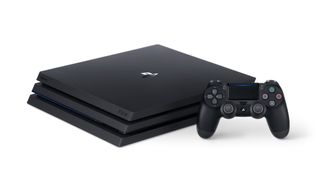
One thing to note upfront: this is not the PlayStation 5. Sony isn’t coming out with true next-generation hardware just yet. The PS4 Pro is a tweaked and tuned PS4 made to sit at the forefront of console gaming until it’s time to gear up for another generational leap.
PS4 Pro review: 4K is a-OK
If you already have a 4K TV, you’ll love Sony’s 4K debut. Well, I say 4K but for the first wave of PS4 Pro-compatible titles, many games don’t actually run in native 4K at all. Instead, thanks to some clever Sony trickery, they create a 4K picture from a high-resolution image upscaled to 4K.
I can already hear the “PC Master Race” guffawing about this limitation, but don’t let that put you off – Sony’s method for creating 4K gameplay on the PS4 Pro is incredible. Games really sing in 4K, and it’s impossible to see the difference compared to native 4K from afar. At nose-touching-the-screen distance, Sony’s Checkerboard upscaling technique is only slightly blurrier compared to native 4K and, from the normal sofa distance, the difference is unnoticeable.
Not all games get this glorious 4K treatment, but any game that has been updated to work with the PS4 Pro will. You also have the option to turn off 4K output, and instead enjoy a 1080p stream on your TV running at a higher frame rate than the 30fps that 4K content is locked to. Games without Pro updates run the same way they do on a standard PS4.
PS4 Pro review: Taking Full HD to the fullest
Those of you with Full HD TVs won’t miss out on the benefits of the PS4 Pro either. Sony knows that the 4K market is actually quite small right now, and the PS4 Pro seems like it’s been built with Full HD gamers in mind.
Not every PS4 game will play better in 1080p on the Pro – it must have received an update to support the extra power of the Pro. If a game hasn’t received an update (currently 45 titles are due to have an update on launch), it will run exactly the same as it does on the standard PS4.
However, updated games, such as Deus Ex: Human Revolution and Shadow of Mordor, make use of the PS4 Pro’s ability to Supersample, allowing for truly sumptuous visuals at Full HD. Supersampling allows the PS4 Pro to render at 2K, scaling it down to 1080p for a dramatically sharper image and 60fps gameplay. Deus Ex feels like playing an entirely different game than on a standard PS4, more comparable to playing on a high-end PC than a console tucked under your TV.
PS4 Pro review: Virtually the best
The PS4 Pro also has added benefits for PlayStation VR players, even if they are only small gains compared to the headline-grabbing 4K and 1080p performance boosts.
Obviously Sony’s new console isn’t capable of upgrading the PlayStation VR’s physical display or hardware capabilities, but there are noticeable improvements from the user-experience point of view. Thanks to the PS4 Pro’s extra power, games such as RIGS Mechanized Combat League, Driveclub VR and even the likes of Rez Infinite and Thumper all run at PlayStation VR’s maximum 120Hz refre
PS4 Pro review: The Pro sheen
Using the same design aesthetic as the PS4 Slim, Sony has added a few nice touches – such as a chrome “PS” logo and the return of the PS4’s light strip. More importantly, the optical-out port has returned to the PS4’s rear, and Sony has added an extra USB 3 port so you can stop unplugging cables just to charge your controller.
You’ll also get a larger 1TB HDD as standard. Just like on the PS4 and PS4 Slim, this is fully upgradable. The extra storage space is a welcome addition but, with “Pro” game patches coming in at up to 10GB a game, you’ll still go through that space rather quickly. You’ll also get a tweaked DualShock 4 with extra battery life, more rugged thumbsticks and the ability for wired USB play.
PS4 Pro review: The Sony PS4 Pro-blem
The PS4 Pro is a baffling proposition for many. It runs in 4K –but only on select titles, and even then they aren’t all native 4K. It can also run 4K video via YouTube and Netflix, but has no 4K Blu-ray player. So, you’ll still need a 4K Blu-ray player. Confused? Good, because it’s a mess of a message.sh rate.
If you’re buying a PS4 for the first time, and you’re serious about getting the most out of it, then there should be no hesitation in your mind about buying the PS4 Pro – even with the £100 price gap between it and the PS4 Slim. If, like me, you’re already happy with your PS4 and what it can do, picking up a PS4 Pro can probably wait a little bit longer.
.
Update: Sony recently admitted that PlayStation VR sales haven't met the company's projections, despite the headset dominating the high-end virtual reality space with 2 million units sold.
While there's no sign of the PlayStation VR's end of life coming any time soon, it's not too early to look ahead at how Sony could boost VR headset sales with the next generation, what might be called the PlayStation VR 2.
One avenue of speculation is that the PSVR 2 will tie into the PlayStation 5 release as the headset could take advantage of the new console's upgraded hardware. As for the headset itself, it's possible it could house an ultra-high resolution display manufactured that boasts 1,001 pixels per inch. That's not all we're hearing about the PSVR 2, so for more on the headset, check out our dedicated PlayStation VR 2 hub. If don't want to wait for the PlayStation VR 2, you can't go wrong with the current headset. There's plenty of content to play, so check out our round up of the best PlayStation VR games of the year! Original article continues below...
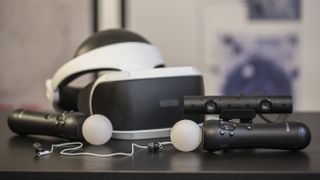
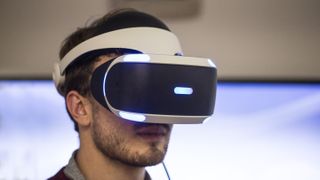
PlayStation VR brings the world of virtual reality to consoles in a big way, and it does so without the cost most often associated with rival higher-end VR headsets.
Those headsets have not only traditionally been expensive devices on their own, but have also required expensive gaming PCs with enough power to run them.
Well over a year after its release, the PlayStation VR virtual reality headset is still going strong. Sony is positively committing to its VR development teams, as evidenced by the quality PlayStation VR games that have been released, and those yet to come. Moss just launched in February, and two more must-play titles – The Inpatient and Sprint Vector – are also out now. What's more, Sony announced more than 30 games coming to PlayStation VR in spring 2018, or sometime between late March and mid-June. We expect to get a big preview of these games at E3 2018.
To cap it all off, a revised headset was also released in late 2017 to address the original headset's lack of HDR-passthrough. The future's bright for Sony's VR gear.
Let's put it this way: the PlayStation VR is different. While Oculus Rift has closed in on cost, the PSVR only requires a PS4 console to run, not an expensive PC set-up.
Frankly, it's remarkable that such an affordable solution is as capable as it is.
It has its problems, but by and large PlayStation VR proves that not only is console VR viable, it's actually enjoyable, too.
We've now tried dozens of games on the console, from Rocksteady's impressive (but short) Batman: Arkham VR to the laugh-out-loud funny Job Simulator to the tear-jerking Wayward Sky and even gun-peripheral-toting horror game Farpoint VR.
Some of these titles were more fun than others, obviously, but all of them made the same point: PlayStation VR doesn't suck.
Before we go on talking about PlayStation VR's finer points (and foibles), let's get the basics out of the way.
At launch, the PlayStation VR headset had a slightly confusing sales set up. With the package re-using existing PlayStation peripherals such as the Move controllers and Camera, the PSVR headset itself was sold separately in some instances, despite the other components being vital parts of the set-up.
If you didn't already own the PlayStation Camera or Move Motion Controllers, the Launch Day bundle was the better bet, but more than a year on and the bundles – and messaging around exactly what components you'll need – are much better.
As of March 29, you can find PlayStation VR DOOM VFR bundle for $299.99 in the US, which includes the headset,camera, and a DOOM VFR Blu-ray disc. There's also a Skyrim VR bundle for $349.99. Both of these prices are $100 less than their original listing price.
In the UK, meanwhile, a starter pack costs £259, down from £349. In Australia, the same pack is priced AU$549.
Besides the PlayStation VR unit itself and the PlayStation Camera, all you'll need is a PS4 (either the Slim version, the three-year-old original or the ultra-powerful PS4 Pro will do), a PS4 DualShock 4 controller and a 6-foot-by-10-foot play space that's well lit, but not too bright.
Setting up the unit can be done in a matter of minutes and the provided instructions offer a clear visual guide to get you up and running.
How does PlayStation VR work?
Like other virtual reality headsets on the market, PlayStation VR has the arduous task of completely immersing you in a video game by producing two images simultaneously and then sending them to a headset a few feet away. But unlike the competition who require expensive graphics cards to get the job done, PS VR can do it using only the PlayStation 4's built-in GPU.
It achieves this by using the PlayStation Camera to track nine different points of light on the headset and the lights on either the Move controllers, or on the DualShock 4, depending on which game you're playing.
It's surprisingly accurate given the fact that it's only using a single camera to track what's happening ... but it's not foolproof by any stretch of the imagination. We'll cover performance in detail in a minute, but be prepared for the camera to lose track of the controllers. A lot.
But the real bummer here is that because Sony only uses one camera instead of two, it's harder for PlayStation VR to track you if you get up and walk around than it is for a system like the HTC Vive which can offer true room-scale VR. That said, it still can support you if you decide to get up and wander around, but don't expect to take more than a few steps in any direction without a warning from the system that you're straying too far away.
To that end, most PlayStation VR games can recommend that you stay in one of two positions, either sitting down or standing up and stationary. If you're prone to motion sickness, sitting down might be a bit more comfortable, however, certain games are definitely better played on your feet.
Depending on where and how you angle your camera, switching between the two might not be so easy, so it's best to find an angle that covers the majority of the room in case you want to switch from one to the other without having to get up, move the camera and recalibrate.
But let's back up. Up until now, the words "VR" and "virtual reality" have been thrown around a lot without much explanation.
VR has existed in one form or another for decades, but the modern version of the technology is more immersive and less nausea-inducing than it's ever been. In more or less words, virtual reality is just that – a virtual world that gives you the experience of being somewhere else in a different time, at a different place, sometimes as far as an alien world, all without ever leaving your home.
And yes, it's just as cool as it sounds.
If you want to be specific about it, PlayStation VR can handle 1080p games on its 920 x RGB x 1080 OLED display at either 90Hz (meaning that the image refreshes itself 90 times per second) or at 120Hz depending on the VR game or application.
And for those concerned about latency, Sony says that PlayStation VR's response rate is locked in at around 18ms – which is about 0.002 seconds faster than the highest acceptable latency before you would notice the lag in VR.
Those numbers are great, but they're matched by both the HTC Vive and Oculus Rift. The one advantage Sony has that neither Oculus nor HTC can claim is that it's actually a world-class game publisher. While the other two have been trying to create connections with developers over the past few years, Sony already has them.
As a result, the best PlayStation VR games list is being constantly updated with excellent fresh experiences, with plenty more set to come across the next year. From shooters to puzzlers, platformers to narrative adventures, there's variety and depth to PSVR's growing gaming catalogue.
PlayStation VR on PS4 Pro
There's also another piece of hardware to consider when looking at buying a PlayStation VR, and that's Sony's brand-new, ultra-powered PS4 Pro.
With additional processing power, the PS4 Pro is capable of creating an even more immersive virtual reality experience for the games that support it.
The improvements PS4 Pro promises can take many forms – from more detailed textures to better draw distances, and even a small reduction in graininess. The advantages differ from game-to-game, and PS4 Pro is currently setup to only support games where the developer has enabled "Pro Mode", a hardware boosting technology that tells the PS4 to use extra processing power.
While writing the PS4 Pro review, we got the chance to try the upgraded hardware with the PlayStation VR and the results were noticeable, if a bit underwhelming in reality.
There's definitely a distinct difference between PS4 and PS4 Pro versions of VR games, however, it's probably not one that can be spotted by the unwitting non-techie – it's something that you can only spot if you're paying close attention to how certain textures look in-game or how objects look in the distance. Lag felt less prevalent on the Pro system though, in all fairness, it wasn't something we felt was a major problem while using the standard issue console.
Whether the minor improvements are worth paying extra for the more powerful hardware is ultimately a decision we'll leave up to you, however it's our opinion that you can get by with a standard PS4 just fine.
.
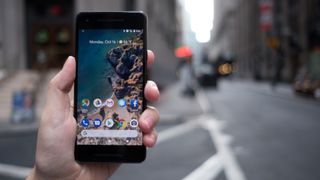
The Google Pixel 2 is the premier Android device that proves that two rear cameras aren't always better than one on a phone, especially if you favor photo quality over the latest all-screen designs. We have the picture proof below.
It’s Google’s superior software that pushes this Android Oreo phone – now able to run the Android P beta – to snap some of the best-looking pictures we’ve seen, topping the camera on last year’s impressive Pixel and Pixel XL debut
What’s more, this year's upgrade is faster, water-resistant and adds a new way to call up the Google Assistant: simply squeeze the phone’s sides to launch your new AI buddy. It sounds like a gimmick, but it’s easier than accidentally hitting another (Bixby) button like on the Galaxy S9 and S9 Plus.
The Pixel 2, with its 5-inch screen, doesn’t look like the future of smartphones, except for its lack of a 3.5mm headphone jack. It doesn't have one, so you're going to want a pair of our best Bluetooth headphones for this one.
It doesn't look as slick as the simultaneously launched Google Pixel 2 XL, which has an edge-to-edge 6-inch display and tall 18:9 aspect ratio. The standard Pixel 2 is quite bezel-heavy. Of course, we now know it has more vibrant colors and no signs (yet) of screen burn-in problems like its larger counterpart. Pixel 2 may actually be a case of "better small than sorry
The bezels won't bother you if you want a phone that’s a great size, runs smart Google software and has a fantastic camera that will make your friends – even your Samsung-owning friends – jealous. Google's camera is only sometimes bested by the Samsung camera and the Huawei P20 and P20 Pro... but not always.
Plain and simple, the Pixel 2 is for people who favor functionality over fashion. Update: Google Pixel 2 remains one of our favorite phone in 2018 – despite some technical issues of reliability at launch – for one reason: it has an amazing camera and starts at a normal smartphone price. And it has recently gotten even better thanks to Google awaking the Pixel Visual Core, the phone's co-processor dedicated to imaging, in the February software release. It keeps getting better though, as Google has released the first developer preview of Android P. This one's just for developers and requires you to flash your device to get access, but future versions will allow any user to easily enroll. Your only issue may be finding one in stock. Be sure to check out our hand-picked Google Pixel 2 deals to find the best value
Price and release date
Starts at $649 / £629 / AU$1,079 for 64GB model
Announced October 4, shipped Thursday, October 19
In the US, try Verizon if the Google Store still has delays
The Google Pixel 2 price didn't increase year-over-year, so like its dated design, it isn't keeping up with the competition. This is surprising for a phone announced on October 4, and a release date of October 19.
It costs $649 / £629 / AU$1,079 for the 64GB version, and $749 / £729 / AU$1,229 for the 128GB configuration. In the US, this phone is sold on-contract through Verizon only among carriers, but worry not, ordering it from the Google Store will mean it works on all networks, including AT&T, T-Mobile and Sprint.
New Pixel 2 and Pixel 2 XL photo examples
The Pixel 2 and Pixel 2 XL have the same camera, and our very own Cameron Faulkner had both on his honeymoon to give us example of photos people take outside of a testing lab.
Design
Great size and likable design
Squeeze the sides to launch Google Assistant
Waterproof, but no 3.5mm headphone jack
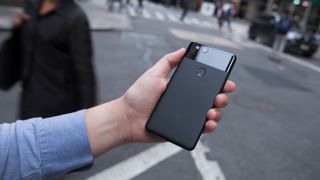
The Google Pixel 2 has a likable size and aesthetic, if you can look past the fact that the phone won’t wow you with an all-screen front. It has a futuristic camera, but the design has a distinctly last-year feel to it.
It easily fits into one hand thanks to its palmable dimensions and light weight. A few years ago this would’ve been considered a phablet, but today, next to the Note 8, it’s a normal-sized Android phone. Most will be able to manage one-handed operation of its 5-inch screen, something that's literally a tall order with the 6-inch Pixel 2 XL.
Both new Pixel phones are now IP67 waterproof (meaning they can survive underwater up to 1m or 3.3ft down for an hour) and retain a glass-and-metal design on the back, albeit with less glass toward the top compared to their predecessors.
The fingerprint scanner has been moved – don’t worry, it’s not off-center, as on Samsung’s new phones – onto the textured aluminum portion of the back, while the camera remains on the glass part, and has a protective ring around it now.
You won’t find a headphone jack on this phone, nor even USB-C earbuds inside the box – it comes with just a simple 3.5mm-to-USB-C adapter. Google may have done some research and figured out that you probably own better headphones than the ones it usually supplies for free – plus, it’s all the more reason for you to buy into those Pixel Buds that just launched, righ
Music on this phone sounds great through headphones, and we even liked listening to music through the dual front-facing stereo speakers. Yes, there's an odd ticking noise coming from some Pixel 2 speakers, but Google promises a software fix for this issue.
Front-facing stereo speakers have become rare among smartphones, which too often fire onboard audio out of the bottom of the phone through a single speaker. Having them increases the size of the top and bottom bezel, but stereo speakers are part of the functionality-over-fashion trade-off we’re talking about.
The Pixel 2 also acquires a feature from the HTC U11 called EdgeSense. Squeezing the phone’s sides launches the Google Assistant, which in our experience has come in handy, and is way better than adding a dedicated AI button – Samsung uses such a button for its Bixby assistant, and we can’t stop accidentally pressing it on the Galaxy S8 and Note 8.
The LG G7 ThinQ uses for a button for Google Assistant, which at least leads to our favorite AI. But this squeezing function is better (and not as easy to accidentally press). Our only complaint is that Google won’t allow you to customize this squeezable feature to open up the camera or another app of your choice.
Screen
Full HD 1080p screen is bright and colorful
Thick bezels make it far from an all-screen phone
Not the best choice for Google Daydream VR
The 5-inch Google Pixel 2 display looks superb for Full HD, but it’s also uninspiring at the same time. It’s bright and colorful, though not as rich as a best-in-class Samsung smartphone screen.
What’s distracting is its screen-to-body ratio, with large bezels flanking the screen on all sides. This is even more noticeable in 2018 with so many all-screen Android phones around, including the bigger Google Pixel 2 XL – and it's especially distracting when the standard trio of on-screen buttons are sometimes displayed within a black bar that eats into your precious screen space.
The display works okay with Google Daydream, but it’s less than ideal given the fact that you can see individual pixels at 1080p. The headset really calls for the Quad HD display from the Pixel 2 XL.
We did like the new always-on display, which shows the date, time and notification icons, and the overdue double-tap-to-wake-the-screen functionality. It’s now a lot easier to see what’s going on with your phone before you wake it up.
You just have to get beyond the bezels, and the fact that putting your Google Pixel 2 in a case makes the outline seem even more pronounced.
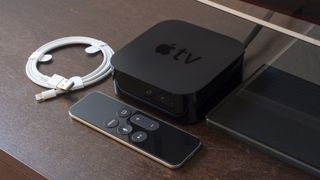
The Apple TV was ahead of its time when it released back in 2015. It featured a new touch remote and a brand-new interface that no one had seen before.
[Update: You didn't think that Apple would stop updating the old Apple TV just because the new Apple TV 4K has been released did you? tvOS 11.2 has just been released, and the update includes a number of benefits for US sports viewers. You'll be able to keep an eye on scores for multiple games while watching just one of them, and you can also set up notifications that'll allow you to swap to games that are particularly close.
The other part of the update concerns HDR playback, but you'll have to be using an Apple TV 4K to get that particular option.]
It was - and still is - a pretty cutting-edge streaming video player.
The kind of person who will get the most enjoyment out of the Apple TV is someone who doesn't mind the experimental frontier - they're comfortable with the idea of using AirPlay to screen mirror their Apple device and are OK rutting through a pile of apps to find what they're looking for.
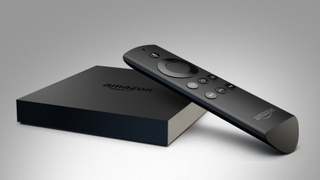
It's not as straightforward a package as a device from Roku; it's not nearly as cheap as Google's Chromecast devices and Amazon's Fire TV has a lot of the same functionality (in addition to 4K HDR support) for a whole lot less.
But if you can look past that and are looking for a 1080p streaming device with a ton of panache and style, Apple TV is still a great choice in 2017.
If you are looking for a 4K streaming device and are dead-set on staying within the Apple ecosystem, check out the also excellent Apple TV 4K.
As it stands, the Apple TV comes in two flavors - the 1080p Apple TV, and the Ultra HD-capable Apple TV 4K. Both of these devices are a bit more expensive than similarly spec'd streaming devices, but Apple's streamers do have a certain style about them that you can't find anywhere else.
The original Apple TV comes in two price points: a 32GB version that costs $149 (£129, AU$269) and a 64GB version that comes in at $199 (£169, AU$349).
Of course, as we mentioned earlier, the Apple TV is a bit limited in the resolution department. Namely, it's stuck in 1080p. If you have a new 4K TV and you're looking to take advantage of that extra headroom, you're going to need to upgrade to the Apple TV 4K - a nearly identical version of the Apple TV but one that supports Ultra HD streaming and two types of HDR.
The Apple TV 4K comes in at, you guessed it, two price points. There's a 32GB and 64GB version of the device but, unless you plan on going heavy on the apps, the 32GB should be fine for most folks. The 32GB Apple TV 4K comes in at £179 / $179 / AU$249, and the 64GB option at £199 / $199 / AU$279.
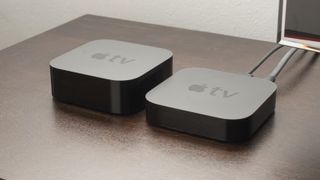
New Apple TV (on left) sits next to an Apple TV (2013)
Apple TV:
The Apple TV in question or, more precisely, what the company is calling the new Apple TV, is the fourth iteration of a "hobby project" Steve Jobs started in 2006. Jobs' vision was to create a dead-simple entertainment hub, one that could access your media in a few simple steps.
That came to fruition in 2007 with the first Apple TV. (Apple wanted the name iTV, however the major British broadcast network of the same name threatened to take legal action should Jobs brand Apple's new device using that moniker.)
In the time since then we've seen two sequels that upgraded the internal Wi-Fi antenna from 802.11b to 802.11a/b/g/n before landing on 802.11ac for the latest build. The processor has been radically changed in that time, too, starting at a 1 GHz "Dothan" Pentium M equipped with 256 MB and ending on a vastly improved 64-bit Apple A8 processor.
Yes, a lot has changed since the first Apple TV. There's less hard drive space on the new unit, ironically, but that's because streaming has overtaken the notion of owning content.
Speaking of hard drive space, the new Apple TV comes in two flavors: an Apple TV and an Apple TV 4K. The only difference between the two is the resolution
Both of the new Apple TVs are driven by apps of all shapes and sizes, not just first-party ones anymore. For the first time ever you'll see the wealth and power of the Apple App Store in the living room, and I expect that once the system matures it will be a sight to behold.
And, unlike the bastardized OS of systems past, the new plastic runs a platform of its own called tvOS, a nomenclature taken from the Apple Watch's watchOS.
What hasn't changed is that Apple still cares first and foremost about Apple products. The new Apple TVs work best with iPads, iPhones and Macs thanks to Apple AirPlay and will allow you to easily stream content from your phone or tablet to the big screen.
And while there have been steps taken to make the system feel less Apple-centric, the iTunes store stands firmly in the center of everything. Every search includes results from iTunes. Every purchase goes through iTunes. You can't go more than five minutes without being shown some new TV show or movie that, as soon as you click on it, will bring you back into the icy-cold money-loving hands of Apple's ecommerce magnate.
Apple TV vs the competition
If you're entrenched in the Apple ecosystem (by which I mean you buy movies and shows from iTunes, subscribe to Apple Music and/or stick to phones and tablets running iOS), then the Apple TV will be a supremely good addition to your living room that will only improve with age.
The less of those features you care about, however, the less you'll like the new Apple TV against the other extremely strong contenders in the streaming video space.
Apple TV vs Amazon Fire TV: The Amazon Fire TV has been a thorn in Apple's side since its launch in 2013. It presents its own problems by restricting a good deal of content to Amazon Prime subscribers, but the most recent revamp of the system saw a huge improvement with the addition of 4K streaming.
The Fire TV is not nearly as good a game console as the Apple TV has the potential to be (or even currently is), but it does have the advantage in price - $99 (£79, about AU$140) vs the Apple TV's
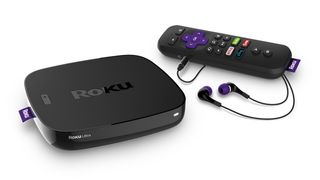
Apple TV vs Roku Ultra: If you're in the US, own a 4K TV and are more concerned about streaming video content than any app or game, stop reading right now and buy a Roku Ultra. At $99 it's significantly cheaper than the new Apple TV and worth every cent.
Why? Well, the Roku Ultra is the most egalitarian system of the bunch. It doesn't care if you pick Netflix over Amazon, or Vudu over Hulu. It doesn't want to sell you an Rdio subscription, and it could care less if you join YouTube Red. At the end of the day, all Roku's new device cares about is getting you to the content you want through the most affordable means possible. It's entertainment on your terms, and in my opinion the epitome of the cord-cutting movement.
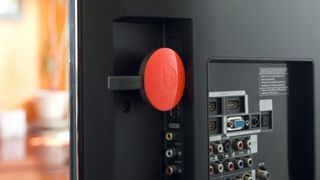
Apple TV vs Android TV / Chromecast: It's hard to compare a full-size system to Google's pint-sized streaming disc, but if you could put the two against each other pound-for-pound, the $35 (£30, AU$49) Chromecast would probably eke out a win.
Google's streaming stick plays nicely with both iOS and Android apps, and while it doesn't have an interface of its own it boasts a relatively impressive app that essentially performs the function of a full streaming video box at a quarter of the price. Admittedly it's up to developers to support the Chromecast, whereas Apple can control its own destiny for the Apple TV, plus the Siri Remote - while troublesome at times - is actually pretty svelte.
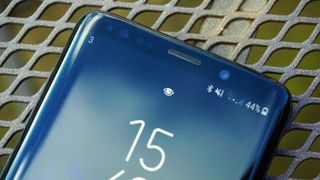
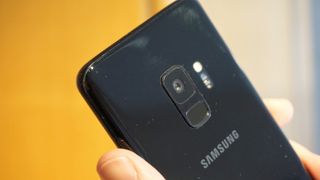
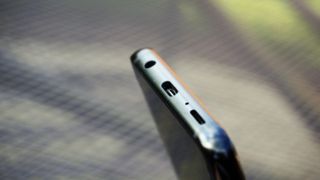
The Samsung Galaxy S9 is the phone that's supposed to lead the charge where the Galaxy S8, one of the best phones we've ever tested, left off - but it's not as much of an upgrade.
Well, that's at first glance, because there is a raft of updates that some would find appealing. Yes, the design is identical to the Galaxy S8, and in reality this really should have been the 'S' variant of that model if Samsung ever wanted to ape Apple's naming str
But there's also a new, high-power camera on the back that brings genuine innovation in the dual-aperture shutter, as well as a more robust frame and so, so much more power under the hood.
The screen is brighter and the dual speakers make this more of a media marvel - and the Galaxy S9 fixes one major flaw with the S8 by making it easy to unlock the phone with your face or finger, which 2017's model failed at - and that's why we've named it as one of our best smartphones around at the moment.
If this sounds like we're talking up an uninspiring phone, that's partly true - but we wanted to make sure you knew the big changes on the S9 if you were confused on why it looks so similar to last year's model. ateg.
These plus points are also set against a backdrop of a high price; we’re not talking iPhone X levels here, but it’s still one of the more expensive options you can buy. The larger Samsung Galaxy S9 Plus with a 6.2-inch screen is even pricier.
So if you’re looking to replace a 2016 phone do all the new features really offer enough to make the Galaxy S9 a worthwhile upgrade, or is the cheaper Galaxy S8 still the best phone in the world
?
Price and release date
Samsung Galaxy S9 specs
Dimensions: 147.7 x 68.7 x 8.5 mm Weight: 163g Screen size: 5.8-inch CPU: Snapdragon 845 / Exynos 9810 RAM: 4GB Storage: 64GB Camera: 12MP rear, 8MP front Battery: 3,000mAh
The Samsung Galaxy S9 release date was March 16, with pre-orders being delivered slightly ahead of this around the world - so you're able to buy it now.
The Galaxy S9 is on sale for £739, $719.99, or AU$1,199 SIM-free directly from Samsung, but exact pricing for other markets is currently unclear.
In the UK, that's a huge price jump over last year's handset, which cost £689 at launch, and it's the same price our sources reported before it was made official.
In terms of a UK cost on contract you can expect to pay between £35 and £50 per month for a decent slug of data, although with many contracts you’ll need to pay a little upfront too.
In the US, we're seeing around $30 a month for the contract, and between $720-$800 for the phone itself. It's actually a little cheaper in the US compared to the Galaxy S8, bucking the trend we're seeing in other regions worldwide.
There aren’t any storage variants of this phone though in the UK or US, with only the 64GB option on sale.
Bixby is back... and better
Bixby Voice is still behind
Bixby Vision is far more useful
Bixby Vision returns more results... but some are not as accurate as others.
We were thoroughly disappointed by Bixby on the Galaxy S8 last year, as it promised to be the ultimate digital assistant and, well, it wasn't.
It simply couldn't do enough – it wasn’t able to work out what you wanted contextually, and it wasn’t able to start or control enough apps. We could forgive the gestation period for this feature if it wasn't for the fact that Google Assistant is already on the phone, and incredibly capable.
However, Samsung has upgraded Bixby on the Galaxy S9, and kept the Bixby button on the side of the device to allow you to interact with your assistant. You use the button as on a walkie-talkie, pressing to talk to Bixby and releasing when you’ve delivered your command… but it's a bit slow to catch up.
Bixby can be too literal – wanting to set a timer preset rather than just starting a countdown for example – and while you can ask it to take a picture and send it to a friend the whole process takes around 30 seconds – and that's assuming Bixby can find the friend to start with – in which time you’d rather just do it manually.
The Galaxy S9 also keeps telling us that we can dictate using Bixby, but this was never 100% accurate – it was pretty darn good, considering that you're essentially talking to a baby robot, but we needed to edit our words before sending.
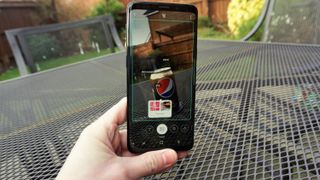
Bixby Vision has come a long way though – and the fact that it's turned off by default is just beautiful. No longer do the little green fireflies automatically dance across your viewfinder when you're trying to take a picture of your car, dog, mother or laundry basket (to show her you've done it all) as the phone tries to work out what's being looked at.
However, when you do turn on Vision the features are pretty useful. Bixby is much, much better at being able to work out what it's seeing than what it’s hearing, and can give accurate results on the web for things like comics, lamps and nature scenes.
The translation tool is also very strong – it comes up with some weird answers here and there, but on the whole it's very easy to work out what you're looking at. Samsung is making a big deal about this feature, although in reality it's a bit niche... you'll need to be in a foreign country, with data, and completely unable to work out what you're looking at.
So while it's good that Bixby has been upgraded, to at least bring some sense to having that button on the side of the phone, it's still a novelty rather than a must-have feature.
Mapping the button to Google Assistant is still a far better way to get the most from your phone with your voice (although you’ll need to download a third party app to do it), despite it being more limited in scope... at least it manages the things it can do very well.
Improved biometrics
Intelligent scan is accurate, but not as secure
Far easier to unlock your phone
The new Intelligent Scan cycles between facial recognition and iris scanning.
Anyone who read our Galaxy S8 review last year would have realised quite quickly that the biometric unlocking features of that phone almost made it unusable. The fingerprint scanner was too hard to reach, the iris scanner too unreliable and the facial recognition just too poor.
Samsung needed to do something, and it has, with all three features now working seamlessly and interchangeably.
Intelligent Scan marries the iris scanner and facial recognition to make unlocking your phone with your face a far, far simpler task, and as mentioned the fingerprint scanner is much easier to hit.
The speed of the Intelligent Snan feature is so much better than last year... where the iris scanner and facial recognition on the S8 were between 30% and 50% accurate, the two together on the Galaxy S9 yield success almost every time.
In low light the iris scanner is still a bit slow to react, and not always pleased to let you in (in this case, Apple's Face ID absolutely destroys it for accuracy and ease of use), but it's so simple to just flick your finger to the scanner on the back that we never had an issue.
That's a real benefit over the iPhone X, keeping the fingerprint scanner.
The fingerprint scanner is now below the camera and in a far easier spot to hit.
There are a couple of flaws with the biometric system. First, the 2D scan of the face the S9 makes to recognize you isn't as secure as other methods, like the fingerprint scanner or Apple's Face ID.
That's not a huge problem for us – the fingerprint scanner is a better way of paying for things anyway, and really biometric unlocking is more about convenience than it is security.
We weren't able to dupe the Samsung Galaxy S9 with a picture of our face, so if you lose your phone you can feel secure in the knowledge that the thief isn't getting in, which is what most of us really want.
Second, and more frustratingly, you can’t really unlock the phone when it’s placed on a table – the field of vision for the scanner is limited, so unless you weirdly shove your head over it you won’t get in, whereas Apple’s Face ID offers a much wider viewing angle.
New speakers
AKG tuned sound is loud
A tiny bit lacking in punch, but a big upgrade on the S8
The speakers still fire downward from the bottom of the phone, but also from the earpiece.
The other key feature that Samsung is talking up on the Galaxy S9 is the improved speaker setup. If you're tired of hearing sound shoot out the bottom of your phone, you'll appreciate that the top earpiece is now able to fire out sound towards your face.
These speakers have also been tuned to support Dolby Atmos sound, giving you a sense of space from the audio coming out from your phone.
Given how thin this phone is, the overall volume and quality of sound coming out of it is impressive. If anything the volume can go a little too high, and we found ourselves turning it down on occasion, despite only watching videos on social media.
The quality isn't the best on the market – there's definitely a little more punch and clarity from the iPhone X, where the Galaxy S9 is a little bit muddier – but the idea here isn't to replace a Bluetooth speaker, but rather provide a decent experience when listening to music or podcasts without earphones.
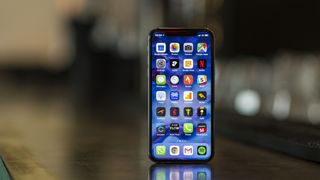
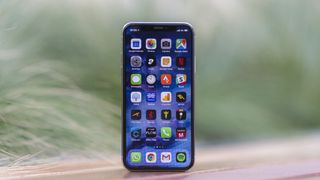
The iPhone X is the huge leap forward that Apple's handsets needed after ten years, and it's even better in 2018 thanks to a more stable iOS 11.3 update. Aside from the original iPhone in 2007, this new iPhone is having the biggest impact on Apple’s smartphone direction ever.
Update: iPhone X has been updated to iOS 11.3, and iOS 12 will launch in beta in a few weeks at Apple's WWDC 2018 keynote. We've updated this review to note the software changes.
Apple itself is calling it the future of the smartphone, the embodiment of what it’s been trying to achieve for a decade. But while the iPhone X is all about premium parts and an all-new experience, it’s a huge gamble for the Cupertino brand too, as it tries to reclaim some leadership in smartphone innovation.
Losing known, reliable elements like the Touch ID fingerprint scanner, the home button; introducing new methods of navigating and unlocking the phone – and charging a lot more for the privilege – seems risky for a company that was already treading new ground by doing away with the traditional headphone jack last year.
But the iPhone X is the handset we’ve been demanding from Apple for years – a world away from the increasingly-tired designs that those who just want a new iPhone have had to make do with.
Watch our review the of the iPhone X's design below.
The fervor around this phone tells that story
y – everyone wants to know if the new iPhone X is worth having, partly because it actually represents a new iPhone, and that fervor is such that they don’t seem to care about the cost.
So… is the iPhone X worth having? Will it change the direction of an industry where many of the specs Apple has put in – fast charging, wireless charging, bezel-less displays and face recognition – are already on the market?
We've had the iPhone X in our grasp for a more than six months now, and it's easily one of the best smartphones around - but there are still a few things that might throw even long-time Apple fans.
iPhone X specs
Weight: 174g Dimensions: 143.6 x 70.9 x 7.7 mm OS: iOS 11 Screen size: 5.8-inch Screen Resolution: 1125x2436 CPU: A11 Bionic RAM: 3GB* Storage: 64GB / 256GB Battery: 2,716mAh* Rear camera: 12MP+12MP (both OIS) Front camera: 7MP *According to Chinese filings
iPhone X price and release date
Now available; released on November 3 worldwide
The most expensive flagship phone on the market
Comes in 64GB and 256GB storage sizes
It’s almost pointless to discuss the iPhone X price – it’s the most expensive flagship phone on the market, but iPhone users are more willing than most to look past cost.
But, while the focus here is going to be on the technology, we still need to at least mention the price and release date. It's out now, having launched worldwide on November 3. The price is harder to swallow.
The iPhone X costs $999 / £999 / AU$1,579 for the basic, 64GB model. If you want the larger 256GB model it’s going to cost you $1,149 / £1,149 / AU$1,829 for the privilege.
Word is that Apple said to be launching a cheaper LCD iPhone variant for 2018, what we're calling the iPhone 9 for now, as Apple looks to bring the bezel-less form factor to a lower-cost, non-OLED variant... but that's strictly rumor for now.
The initial issues with stock are now over, and you can grab the handset in a a number of ways - with the iPhone X colors pretty limited this year, and the option of two storage sizes your main choices.
Screen
By far the best screen on an iPhone
Clear, vibrant colors
Notch at top slightly irks, but doesn’t get in the way
The first thing you’ll notice about the new iPhone is hard to miss: the new screen blazes into your eyes the second you pick up the handset.
The 5.8-inch OLED display is, quite simply, the best thing Apple has ever crammed into an iPhone. It’s leaps ahead of the iPhone 8 and 8 Plus for so many reasons: the sharpness, the quality, the fact that it fills the whole front of the phone, and the color reproduction.
It’s also using a new, longer, screen, but while it looks larger than the iPhone 8 Plus’ 5.5-inch display on paper, it’s only marginally bigger in terms of actual screen real estate – it’s just stretched upwards, so it's taller, not wider.
The stretched screen is a completely different experience on the iPhone X
OLED technology means you’re getting deeper blacks and more blinding whites, so everything from websites to the photos you take in will look a little better.
Some will point to the fact that Samsung has been using OLED screens on its phones since the first Galaxy, but Apple counters that by saying it’s only now that the technology is good enough for its phones.
On the face of it that sounds defensive, but when you use the iPhone X you can see it’s a screen that’s incredibly, well, Apple.
It’s not the sharpest or most colorful screen on a smartphone, but it’s clean, crisp and doesn’t suffer from terrible color shifts when you move it around. It’s a great display to look at from all angles, and that’s what you want on a mobile device.
It's also been dubbed the best in the world, by the esteemed DisplayMate testing, showing that it's the brightest and more color-accurate OLED on the market and good off-centre brightness shifts - showing Apple can tune the tech from Samsung really well.
The term ‘bezel-less’ has been bandied about for the iPhone X, but that doesn’t really tell the right story. Yes, there are slight bands around the edges of the screen as this isn't a curved screen iPhone, but they don’t mar the experience – they give the fingers something to land on, preventing accidental touches of the screen.
Apple could reduce these further in the future and offer a more visually-appealing iPhone, but on the X the experience is still striking.
Talking of visual appeal, the notch at the top of the iPhone X is something that’s been divisive, and that’s fair. Apple has taken this little chunk out of the top of the screen to house the new TrueDepth camera, and it encroaches on the display. A lot newer Android phones, including the oneplus six, copy this style.
In portrait mode it’s hard to notice it’s there, and the way the notifications bar spills around it is nice.
However, place the phone in landscape mode and it’s far more noticeable; it’s an irritant when you’re watching movies, as when we wanted to expand them to fill the screen (one of the real beauties of having a longer display) elements of the action were cut out by the notch.
The longer screen is also thinner though - this means there's less real estate for typing. We didn't notice this at the start, but when flipping between the X and an older iPhone, you'll really see there's less space for your digits to tap onto.
While we’re talking about that longer screen, the 18:9 format is something we’ve seen on a number of other phones this year, and in the Android world the apps are largely encoded to fill the display just fine.
On the iPhone X, however, that’s not the case, with many apps we used packing massive black bars above and below the display. That's quickly started to improve though, and each day more apps update for the longer screen.
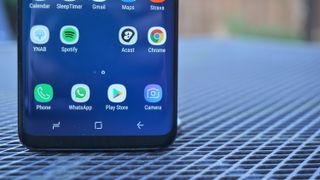
Native apps have a space below the keyboard where the home button would have gone
The issue with apps using the black bars is that it makes the iPhone X look like any other handset from Apple - even an iPhone 3GS – and given the screen is the main visual differentiator on this phone, and you want every app to fill the display nicely. There are now very few apps left that have these bars above and below, with most expanding the screen to fill the whole front of the phone and curve around the notch.
The new display on the iPhone X also showcases a new feature for Apple: HDR playback. The phone can show movies encoded in the HDR10 and Dolby Vision formats, and combined with the OLED display the images offer so much more depth and realistic color reproduction.
If you’re watching a scene with explosions in it, the effect is incredible on the iPhone X – much like with all OLED screens.
However, it’s inherently harder to make out detail in darker scenes in HDR movies – that’s something you’ll need to adjust to.
Compared to the LCD screen of the iPhone 8 Plus, there are times when you can see less of the action, but compare them side by side and you’ll see that the overall richness, depth and quality for watching movies is just higher on the iPhone X.
Like the iPhone 8 and 8 Plus, the X uses a True Tone display, which mimics the lighting conditions around it and will adjust the white balance accordingly. It’s not a reason to buy the phone on its own, but it’s a really premium little extra